STEP 1: ACCESS MY PORTAL
CLICK HERE to go to your “My Portal”
STEP 2: LOG IN
If You Haven’t Previously Completed Courses with Us and You Enrolled Over the Phone
You will need to set up a password to log in. Once you have clicked on the link above, select “forgot password” from the log in screen. Enter the email address that you provided when enrolling over the phone and click on the link to reset your password. Please allow up to 5 minutes for your forgot password email to come through. If it does not arrive in your inbox within 5 minutes, please also check your spam folder.
You will receive an email link to set up your password. If you don’t receive this to your email inbox, please check your spam folder! Once you have reset your password, simply click on the My Portal link above to log in.
If You Enrolled Online or You Have Previously Completed Any Courses with Us
Log in with the username and password that you have previously set up
STEP 3: ACCESS THE COURSE ONLINE TRAINING CENTRE
Once you log into your My Portal, simply locate the appropriate course and select the grey “Access the Online Training Centre” button
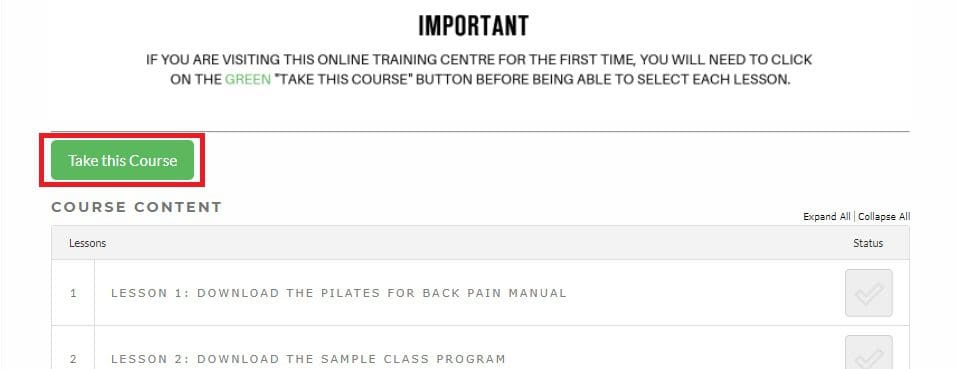
STEP 4: PRESS THE GREEN BUTTON
Once you are in the course online training centre, you will need to select the green “Take This Course” button before accessing the lessons.